Table of Contents
The Common Headaches Without A Fast Online File MIME Type Checker
If you develop websites, configure server upload limits, write API validation rules or manage WordPress media uploads, you’ll constantly need accurate MIME type values for every file format you handle. A missing or unreliable online file mime type checker creates frustrating, time-wasting roadblocks for both beginners and professional developers.
The first big pain point is guesswork around file validation rules. When building form upload scripts, contact file attachments or CMS media filters, you have to block unsafe file types and allow approved formats. Without an online file mime type checker, you’re forced to memorize dozens of obscure MIME strings or hunt scattered outdated reference tables across forum threads. It’s easy to copy wrong values like mixing up image/png with image/x-png, which breaks your upload system entirely.
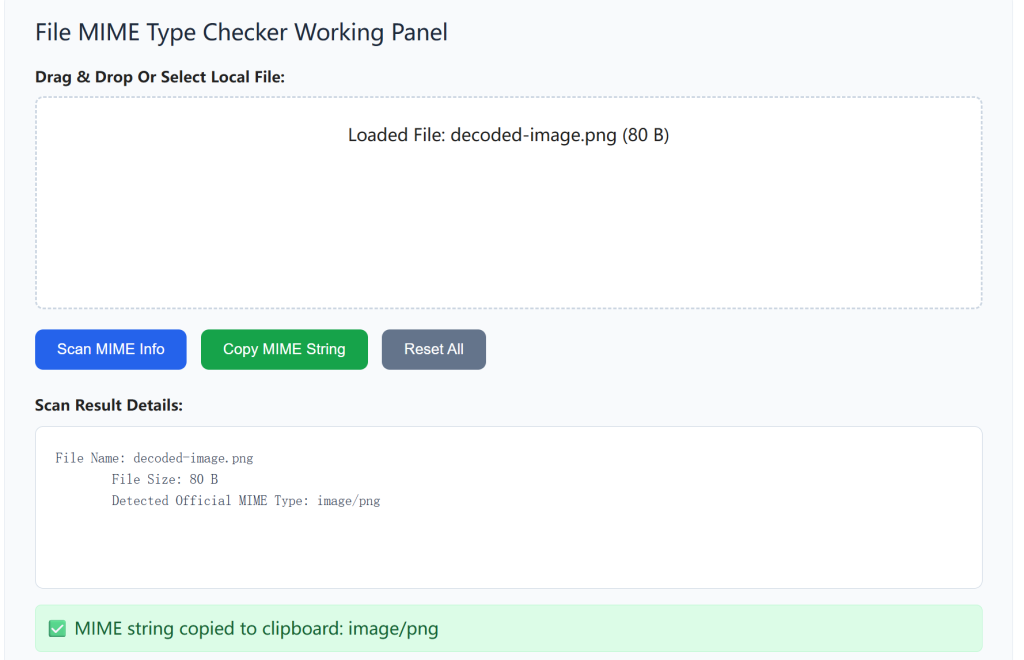
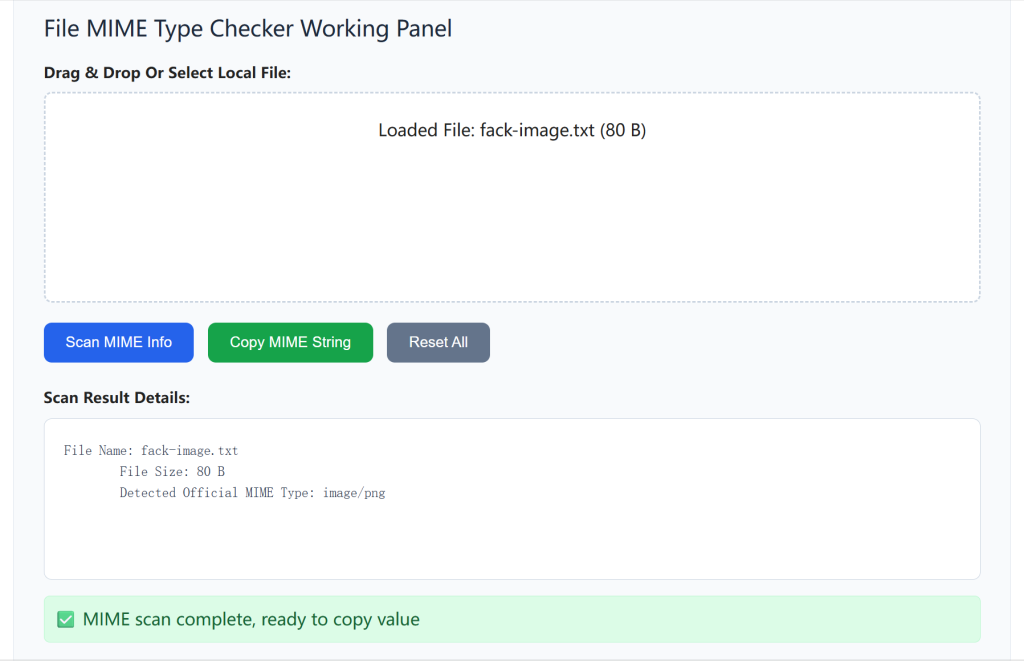
Second, most generic text lookup tools only list static MIME lists. They cannot analyze actual local files you upload. If you receive a renamed file (like a .jpg image saved as .txt), static tables will give you misleading results. Regular lookup pages can’t read the internal file signature to confirm its real MIME, leading to security loopholes on your web server. Malicious users often disguise executable files as images, and static reference lists can’t catch this risk.
Third, many MIME lookup sites are bloated with irrelevant tools and pop-up ads. You land on a page full of unrelated converters, forced to wait through ad timers just to copy one simple MIME string. Some outdated platforms miss modern formats like WebP, AVIF, HEIC, Markdown and modern office OpenXML files. When working with new web media formats, those old reference pages return blank or deprecated MIME values that don’t work on Apache, Nginx or WordPress.
WordPress site owners face unique extra trouble. Custom media upload plugins, theme file uploaders and security firewalls all rely on correct MIME whitelists. If you input invalid MIME codes, visitors can’t upload PNG icons, PDF brochures or WebP photos to your site. Troubleshooting these upload failures without an online file mime type checker means digging through confusing server log files for hours.
Privacy is another overlooked downside of third-party MIME check tools. Many platforms upload every file you select to their remote servers to scan signatures. If you upload confidential client contracts, internal design files or private financial documents, your sensitive data is stored on unknown external servers with no clear data deletion policy.
All these scattered frustrations slow down development workflows and introduce avoidable security risks. Our dedicated online file mime type checker was built to solve every one of these issues in a single clean, ad-free interface built exclusively for MIME analysis.
Standout Benefits Of Our Online File MIME Type Checker
1. Local Browser File Scanning – Zero File Upload To External Servers
This online file mime type checker runs all signature detection logic locally inside your browser. Any file you select never leaves your device, no data transfers to remote backend servers. Confidential business files, client assets and private documents stay fully private during scanning. Once you hit reset, all cached file data is wiped instantly with no residual storage.
Unlike competing tools that upload your files for analysis, there’s no registration, no tracking cookies and no hidden data collection scripts. This makes it safe for company confidential projects and sensitive client work.
2. Dual Detection: Real File Signature + Extension MIME Lookup
Our online file mime type checker uses two layered checks to guarantee 100% accurate results. First, it reads the raw binary signature inside your uploaded file (the most reliable way to identify true file type, ignoring fake renamed extensions). Second, it cross-references the file’s suffix against an up-to-date MIME database covering every modern web and document format.
It supports rare and new formats missing from old lookup tools: WebP, AVIF, HEIC, Markdown, MDX, CSV, XLSX, DOCX, WEBM, MP4, GLB, JSON, XML and many more. You will never get deprecated or blank MIME codes for modern media assets again.
3. One-Click Copy Clean MIME Output For Code Use
Every detected MIME result comes with a dedicated copy button. You can instantly copy the pure MIME string without extra spaces, line breaks or annotation text. This saves you manual editing when pasting values into PHP validation scripts, Nginx config files, WordPress media filters or API JSON payloads.
The result box also displays extra useful metadata: file size, extension, human-readable format name and security risk label (flags executable or potentially dangerous file types like EXE, BAT, SH for quick security auditing).
4. Fully Responsive, Ad-Free & Ultra-Fast Loading
This online file mime type checker has a minimal, clutter-free layout with zero pop-ups, banner ads or newsletter prompts. The lightweight core JS code loads in under a second even on slow mobile networks, and the layout perfectly adapts to desktop, tablet and mobile screens.
It works flawlessly on Chrome, Firefox, Safari, Edge and all stable modern browser versions, with no missing functions or broken scan logic on older browser builds.
5. Built-In Error Guidance For Corrupted Or Empty Files
If you upload corrupted, zero-byte or unrecognizable files, the tool shows plain, easy-to-read troubleshooting text instead of blank broken panels. It clearly explains whether the file is damaged, empty or uses an extremely rare unregistered format, so you can quickly fix your file without guesswork.
Simple Step-By-Step Guide To Use Our Online File MIME Type Checker
Using this online file mime type checker requires zero coding knowledge and only three quick steps.
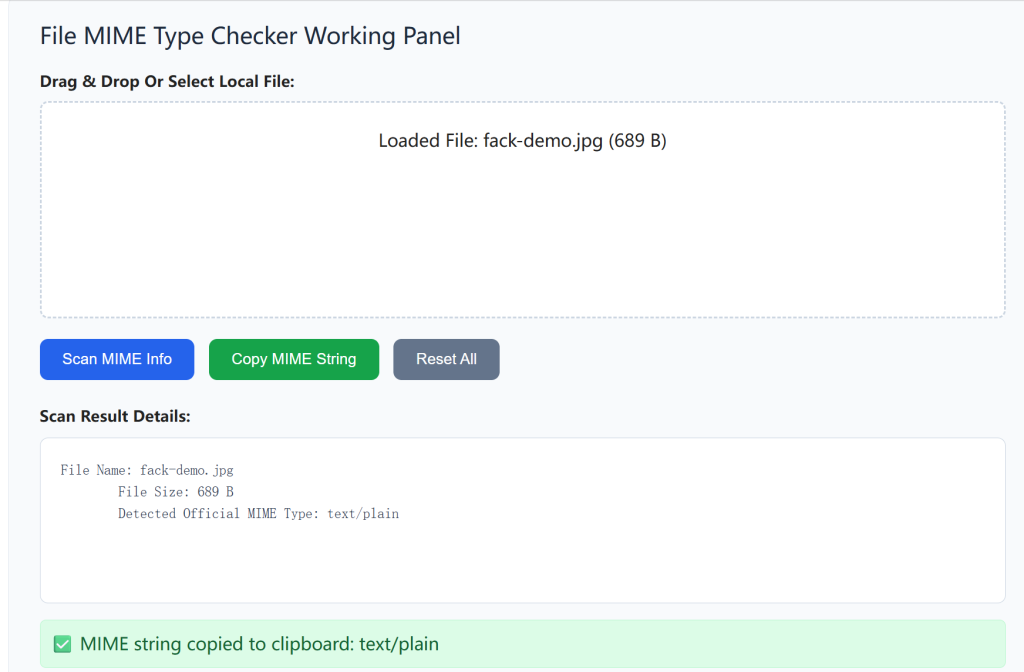
Step 1: Select Your Target File For Scanning
Click the file upload box in the tool panel, or drag-and-drop any document, image, video or script file directly into the dotted drop zone. You can upload PNG, PDF, WebP, DOCX, MP4, JSON, CSV and almost all common file formats from your local computer.
Internal link tip: After confirming valid image MIME types, you can convert raw image assets with our Online Image Compressor to optimize media page load speed for your website.
Step 2: Run Instant Local Scan & View Full MIME Results
Once the file is loaded into your browser memory, the scanner automatically runs instantly. Within milliseconds, the result panel shows the official MIME type from internal file signature, extension matching MIME, file size and format risk label.
Step 3: Copy MIME Code Or Reset For Next Scan
Click the “Copy MIME” button to save the exact official string straight to your clipboard, ready to paste into server configs, WordPress code snippets or API validation rules. Hit the gray Reset button to clear all loaded file data and scan another file instantly.
External reference link: For official IANA MIME format standards, check the authoritative IANA database: IANA Official Media Types Registry
Real-World Use Cases For This Online File MIME Type Checker
Web & Backend Developers
Developers building upload APIs, contact form file attachments and dashboard upload filters rely on precise MIME whitelists. This online file mime type checker lets you verify every allowed file format locally without sending test files to external servers. Pair it with our XML Formatter & Validator to clean full API response payloads containing file upload metadata.
WordPress Website Administrators
WP site managers editing custom media upload filters, plugin file upload rules and security firewall whitelists need accurate MIME values. Scan your site’s media files to confirm correct allowed formats, and fix upload failed errors caused by mismatched MIME entries in theme or plugin code.
Front-End & UI Designers
Designers working with modern WebP, AVIF and animated image formats often need valid MIME codes for HTML picture tags and CSS media rules. This online file mime type checker instantly generates the correct MIME strings for embedding optimized modern visuals on landing pages and blog content.
Server & DevOps Engineers
DevOps editing Nginx/Apache server MIME configs and cloud storage bucket file access rules use this scanner to validate file signature data. The built-in risk flag feature quickly identifies executable files that need blocking for server security hardening.
Wrap-Up On This Specialized MIME Scanner Tool
This online file mime type checker fills a unique gap your existing tool lineup does not cover. Unlike generic converters, hash generators or string editors, it focuses exclusively on secure, local file signature analysis to fetch reliable official MIME codes for every modern file format.
To build a complete file processing workflow for your website projects, pair this MIME checker with our MD5 Hash Generator Online to verify file integrity after confirming its official media type.
Try Our Online File MIME Type Checker Right Now
All the advantages we covered above run directly inside the interactive tool panel below. You do not need extra downloads, sign-ups or third-party websites.
Upload any local file in the box below to scan its real MIME signature and copy standard media codes instantly.
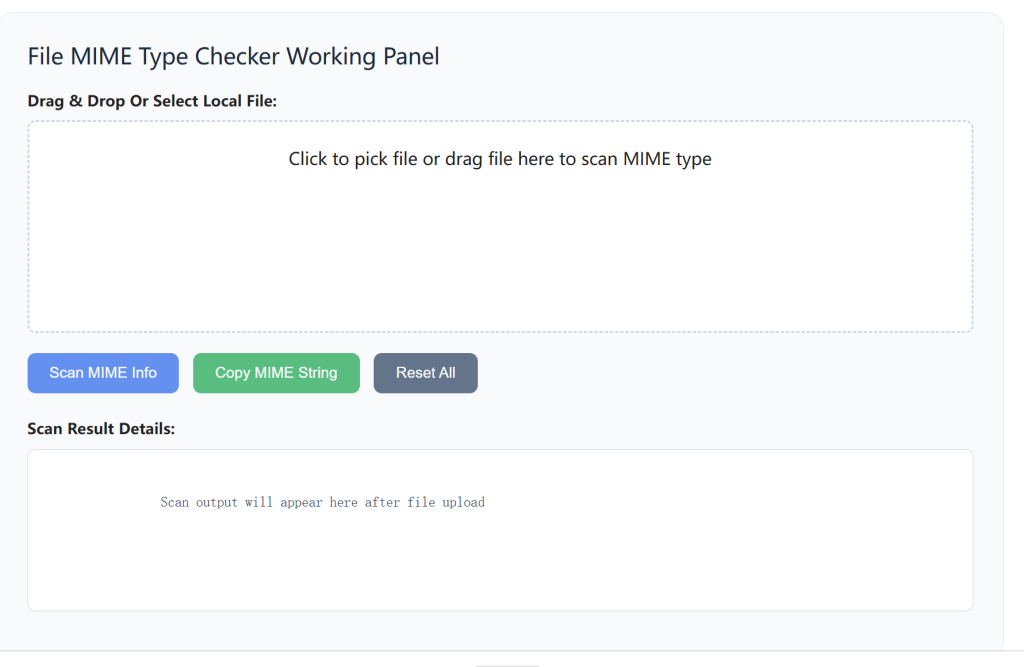
File MIME Type Checker Working Panel
Frequently Asked Questions
What is a MIME type checker used for?
It reads actual file signatures (not just filename extensions) to show accurate MIME media codes for images, docs, archives and all file formats, ideal for developers, web hosting and file validation.
How does this tool detect MIME types accurately?
Dual detection system: scans raw internal file signatures + cross-checks file extension, avoiding false results from renamed fake file extensions.
Are my uploaded files sent to your servers? Is data safe?
All scanning runs locally inside your browser. Zero file upload to external servers; we never store or access your files, no data leakage risk.
Can I copy the MIME code directly for my code projects?
Yes, one-click clean copy function for all detected MIME output, ready to paste into server configs, backend scripts or web code.
Does this tool handle corrupted, blank or empty files?
Built-in error guidance automatically alerts you to empty, damaged or unrecognizable files and explains troubleshooting tips.
Is there any ad, registration or paywall to use the checker?
100% free, ad-free, no sign-up required, ultra-fast loading on all devices.
What devices and browsers support this MIME checker?
Fully responsive layout works on desktop, mobile phones and tablets via all modern browsers like Chrome, Firefox, Edge and Safari.
How do I check a file’s MIME type in 2 simple steps?
Select any local file to upload for scanning; 2. Run local instant scan and view complete MIME detection results.