Table of Contents
Text Deduplicator & Line Remover is a practical online text processing tool.This professional Text Deduplicator & Line Remover focuses on text sorting and content tidying work.
Users can quickly eliminate duplicate content, blank lines and redundant spaces with ease.
All data calculation runs inside the browser locally.
There is no server upload and no data recording behavior.Text Deduplicator & Line Remover guarantees user information security all the time.
Common Problems When Cleaning Raw Text
In daily office processing and data arrangement, messy text is a frequent problem.Many users encounter messy text data during daily office work and data sorting.
Manual screening and deletion wastes massive working time and lowers efficiency greatly.
Most third-party online text tools have many obvious defects.
Partial platforms set function restrictions, paid permissions and advertisement pop-ups.
Unsafe text tools will secretly upload user private content, bringing information leakage risks.Copied lists, URL collections and survey texts often contain repeated content and empty lines.Manual deletion of duplicate lines takes a lot of time and easily causes missing content.
Most online text tools have usage limits, watermarks or require login to unlock full functions.Some tools will upload user text data to servers, causing potential privacy leakage risks.This is why a reliable Text Deduplicator & Line Remover is necessary for daily work.
Core Advantages of Our Text Deduplicator & Line Remover
Our Text Deduplicator & Line Remover is designed aiming at actual text cleaning demands.
The tool integrates multiple practical functions to meet most daily text sorting requirements.
It supports intelligent deduplication, blank line filtering and global space trimming.Users are allowed to freely switch case sensitivity and retain original content order.he running speed of Text Deduplicator & Line Remover is fast and stable.
The whole operation process does not require login registration and extra software installation.
The overall layout is concise and clear, bringing a comfortable operating experience.Long-term free use without hidden charges is one of the biggest features of this tool.
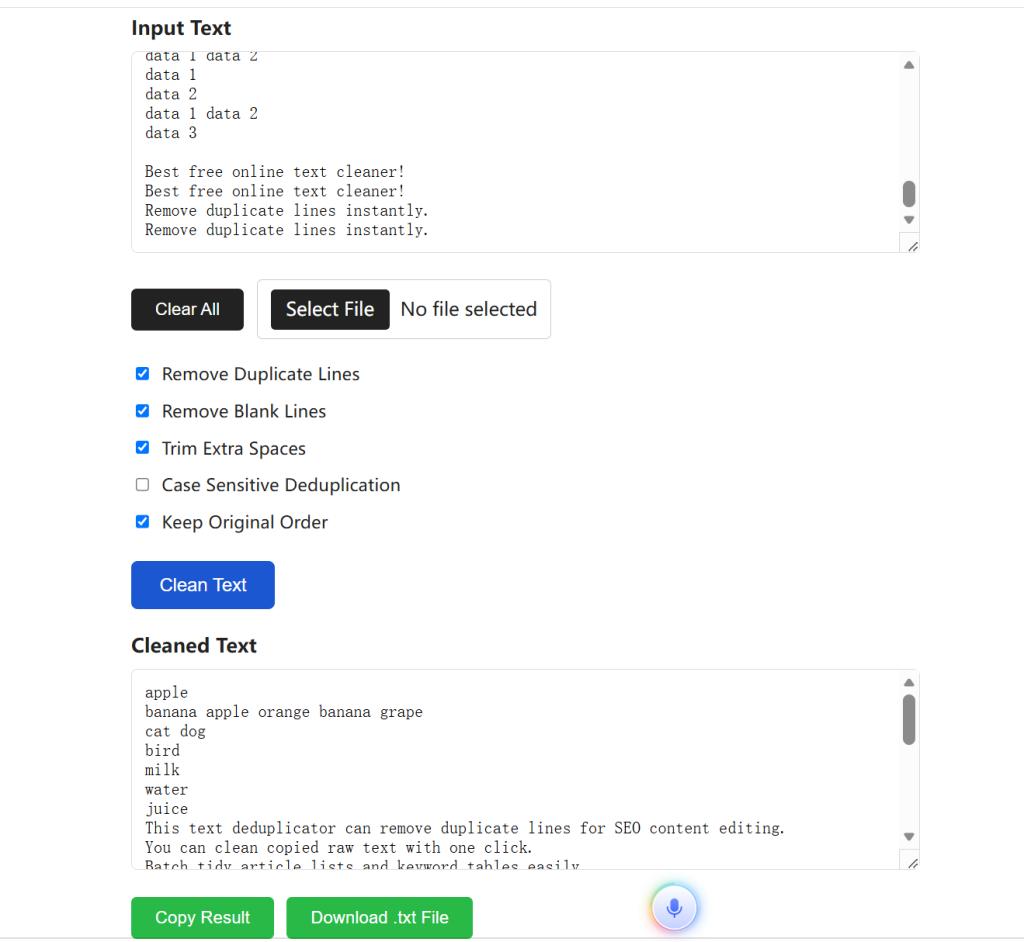
Step-by-Step Guide to Use Text Deduplicator & Line Remover
- Using this tool is extremely simple and beginner-friendly.
- First, paste your messy text into the input box, or upload a local TXT file directly.
- Second, check the cleaning options you need, such as deduplication and blank line removal.
- Third, click the Clean Text button to start automatic processing.
- The system will instantly generate neat text results without duplicates and empty lines.
- Finally, copy the cleaned text or download the file for local saving and reuse.
Main Application Scenarios
This Text Deduplicator & Line Remover fits multiple daily usage scenarios.
Marketers clean repeated email address lists for batch sending.Developers tidy log text and deduplicate code line records.Office workers organize customer lists, inventory data and form content.
Website operators and marketing staff use it to organize address list data.Program developers tidy program logs and repeated code line content.Daily office staff sort forms, inventory records and various memo texts.
Researchers clean reference lists and academic text to remove redundant lines.
A qualified Text Deduplicator & Line Remover can greatly improve text arrangement efficiency.
Internal Link: If you need to format or convert your cleaned text into CSV or JSON format, use our JSON CSV Converter to organize your data further.
External Link: For best practices in data cleaning and deduplication, refer to the Data Cleaning Guide published by W3Schools.
Related SEO Tool
After cleaning duplicated URLs and redundant lines from your link inventory, you can build standardized crawl rules and search index files easily. Read our full SEO tutorial blog to learn all indexing optimization tricks:
100% Free Robots.txt & XML Sitemap Generator: Fix Your Site Indexing Issues In 1 Minute